Free safety form templates for Saskatchewan contractors.
Plain, printable forms for the safety paperwork your crew fills in every week. Download the PDF, add your company name and print it. No sign-up.
The templates
Print them. Use them tomorrow.
What each form is for, when your crew fills it in and what is on the sheet. Every one is letter size and fits one page.
-
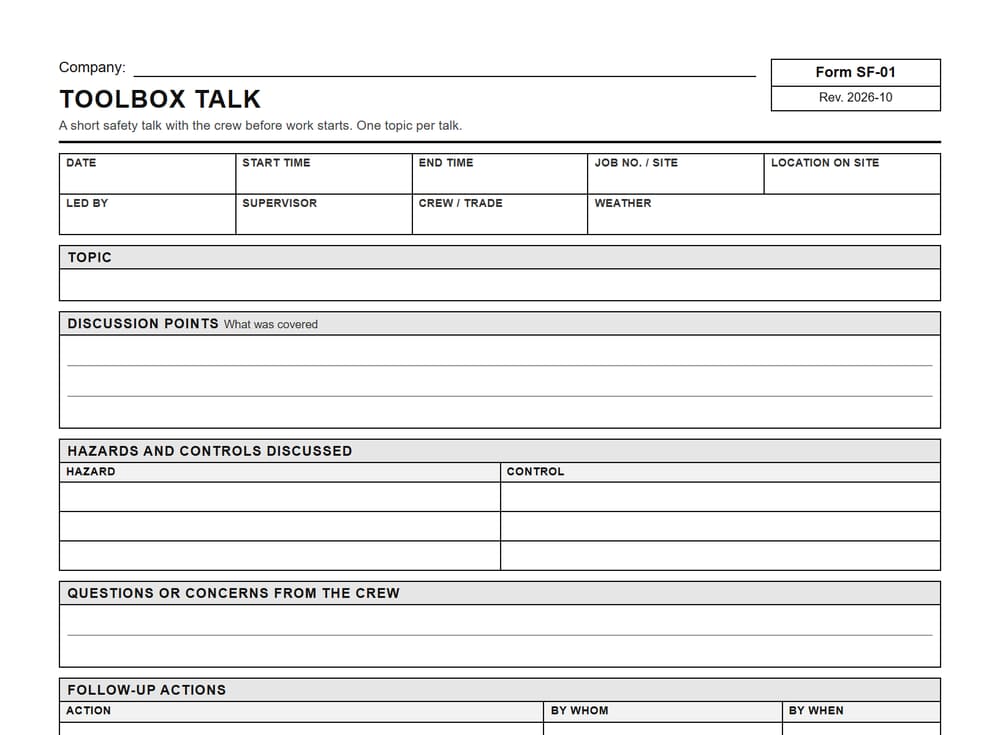
Toolbox talk
A short safety talk with the crew on one topic, like trenching, ladders or cold weather, with a sign-in for everyone who was there.
When: At the start of the day or the shift, before work starts.
On the sheet: Job details with start and end time, topic, discussion points, hazards and controls, crew questions, follow-up actions, a 10-line crew sign-in with company.
Download the toolbox talk template -
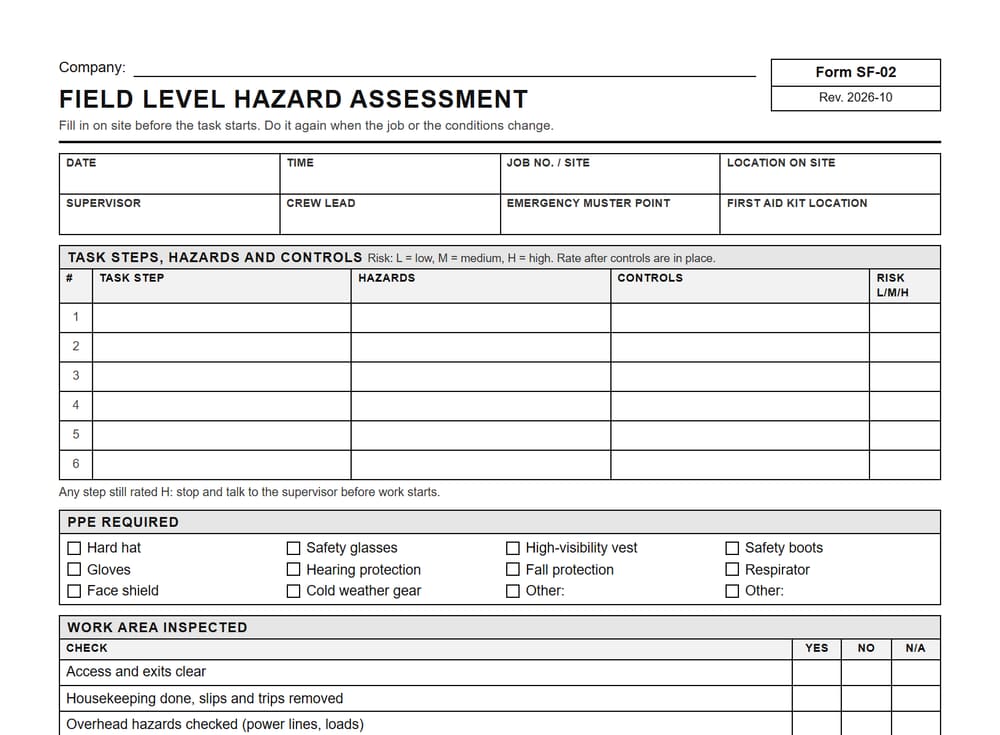
Field level hazard assessment (FLHA)
The crew lists the steps of the task, the hazards in each one and how they will control them, then rates the risk and signs it.
When: On site before a task starts, and again when the job or the conditions change.
On the sheet: Task steps, hazards and controls with a low, medium or high risk rating, PPE checkboxes, work area checks with the locate ticket number, rows to record a re-assessment, crew review.
Download the field level hazard assessment template -
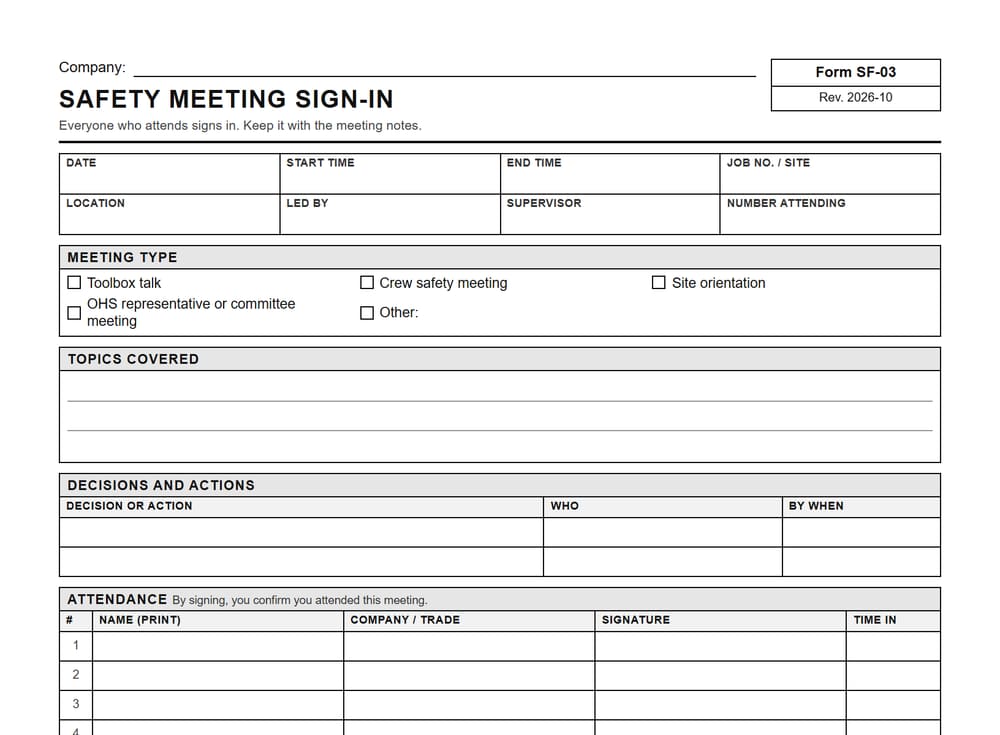
Safety meeting sign-in
One sheet for everyone who attends a crew safety meeting, a toolbox talk or a site orientation to sign in.
When: At any safety meeting. Keep it with the meeting notes.
On the sheet: Meeting type, including OHS representative or committee meetings, topics covered, decisions and actions, an 18-line sign-in with company or trade and time in.
Download the safety meeting sign-in template
Also free: a weekly timesheet and a daily site report
-
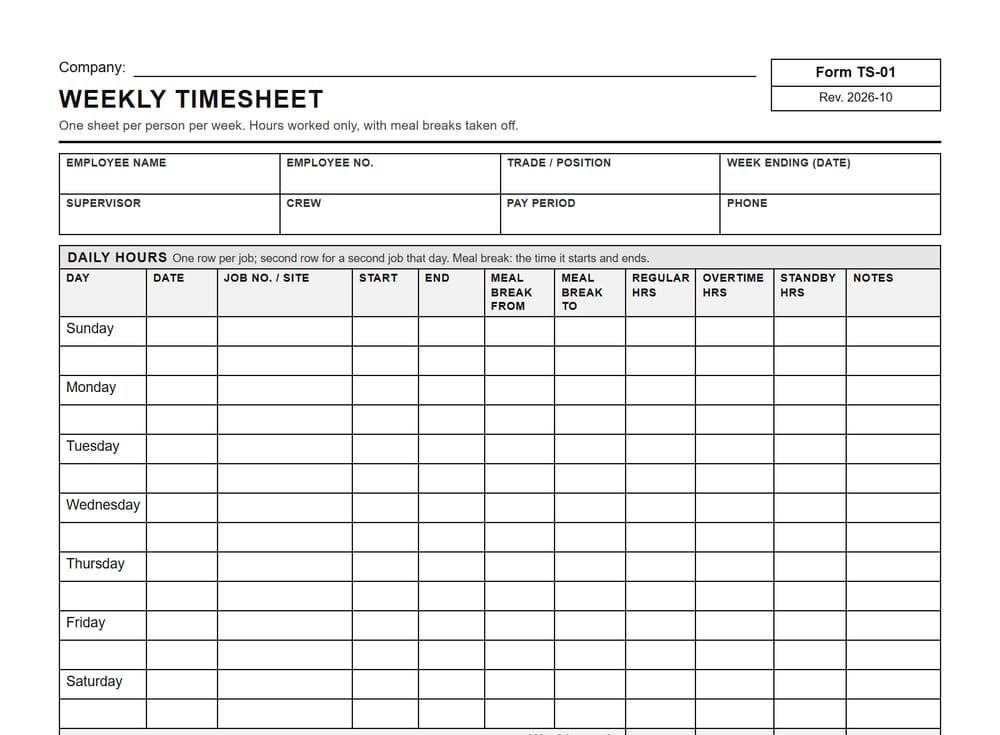
Weekly timesheet
One sheet per person per week, with a row for each job, start and end times, meal break times, regular, overtime and standby hours.
When: Through the week, then signed by the employee and approved by a supervisor before payroll.
On the sheet: Daily rows with job, start, end, meal break from and to, and hours, weekly totals, time off, employee and supervisor sign-off.
Download the weekly timesheet template -
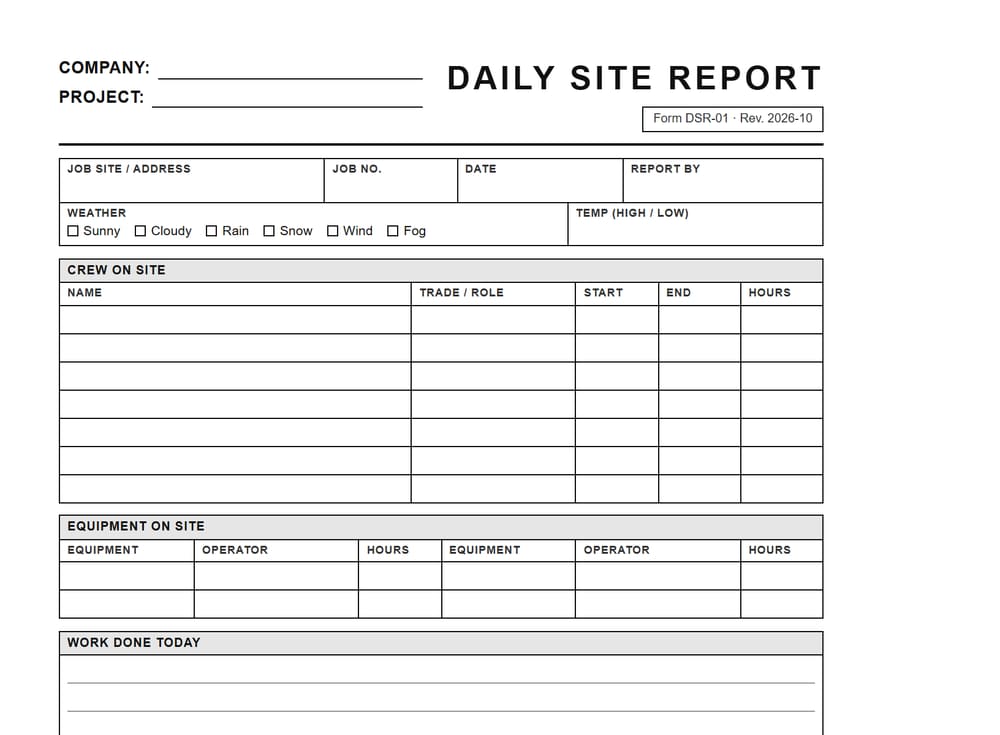
Daily site report
One sheet per job per day: who was on site, the weather, the work done, deliveries, delays and safety notes.
When: At the end of each work day, then signed by the crew lead or supervisor.
On the sheet: Job details, weather, crew and hours, work completed, deliveries and equipment, delays, safety notes with an incident or near miss check, sign-off.
Download the daily site report template
Coming next: a hazard assessment form and fall protection plan. Need one now? Book a free consultation and we will look at the forms you use.
Where to start
A template is a start. Your program does the rest.
A good form makes it easy for the crew to write down the right things, in the same place, every time. It does not make a site safe on its own, and it does not show that your company meets any rule or program by itself. Training, supervision and your people do that.
Use the templates as a starting point. Add your company name, your jobs and the hazards your crew actually sees. Then check what your work needs against the current Saskatchewan rules or with your safety association.
Filling them in
Tired of filling them in by hand?
Your AI office helper drafts toolbox talks, safety briefings and hazard assessments on your own form, from what the crew already sends. The crew reviews and signs them. The helper does not certify safety, and nothing is filed until a person checks it.
1 The crew lead texts it in
Sam's phone
2 A draft on your form, for the crew to sign
Company: Halcrest Earthworks Ltd.
Toolbox Talk
Topic
| Trenching and excavation, about 1.5 m deep |
Discussion points
| Locates checked and marked before digging |
| Spoil pile and equipment kept back from the edge |
| Ladder in the trench, nobody under a load |
Hazards and controls
| Hazard | Control |
|---|---|
| Trench wall collapse | Slope or shore, stay out of unsupported trench |
| Buried services | Locates marked, hand dig near lines |
Crew sign-in
| Name | Signature | Time |
|---|---|---|
| Sam | Not signed yet | |
| Ben | Not signed yet | |
| Kyle | Not signed yet | |
| Tom | Not signed yet |
The crew reads it and signs it. The helper does not sign anything.
We build the helper around your own forms, so it is not limited to the templates above. If your crew fills it in today, on paper or on a screen, we can look at drafting it from their job notes.
Questions people ask
Straight answers.
Are the safety form templates free?
Yes. Each template is a free PDF you can download, print and use, with no sign-up. Add your company name at the top and they are ready for the crew.
What is a toolbox talk?
A toolbox talk is a short safety talk with the crew before work starts, usually on one hazard or one task. The crew signs in so there is a record of who heard it.
What is a field level hazard assessment?
A field level hazard assessment (FLHA) is a short form the crew fills in on site before a task, listing the hazards and how they will control them. It is done again when the job or the conditions change.
Can I change the templates?
Yes. Use them as a starting point and make them yours. Print them as they are, or copy the layout into your own form with your company name, your jobs and the hazards your crew sees.
Will these templates make my company compliant?
No form makes a company compliant on its own. A template is one part of a safety program, along with training, supervision and your people. Check what your work needs against the current Saskatchewan rules or with your safety association.
Can the helper fill in these forms for me?
Yes. Your AI office helper drafts safety briefings, toolbox talks and hazard assessments on your own form from what the crew sends. The crew reviews and signs them. The helper does not certify safety.
Show us your forms. We will take it from there.
Bring the safety forms your crew fills in now. The first chat is free.